Mac app
Your best prompts, one keystroke away.
PrompX for Mac puts your whole prompt library behind ⌘⇧Space. Find a prompt from any app, fill in the blanks, and paste it without switching windows.
Download for MacFree download · macOS 14 or later · Apple Silicon and Intel
Any prompt, from any app.
Press ⌘⇧Space wherever you are working. Search by title or #tag, press Tab to fill in the {{variables}}, then Return to copy. PrompX hands focus back to the app you came from, ready to paste.
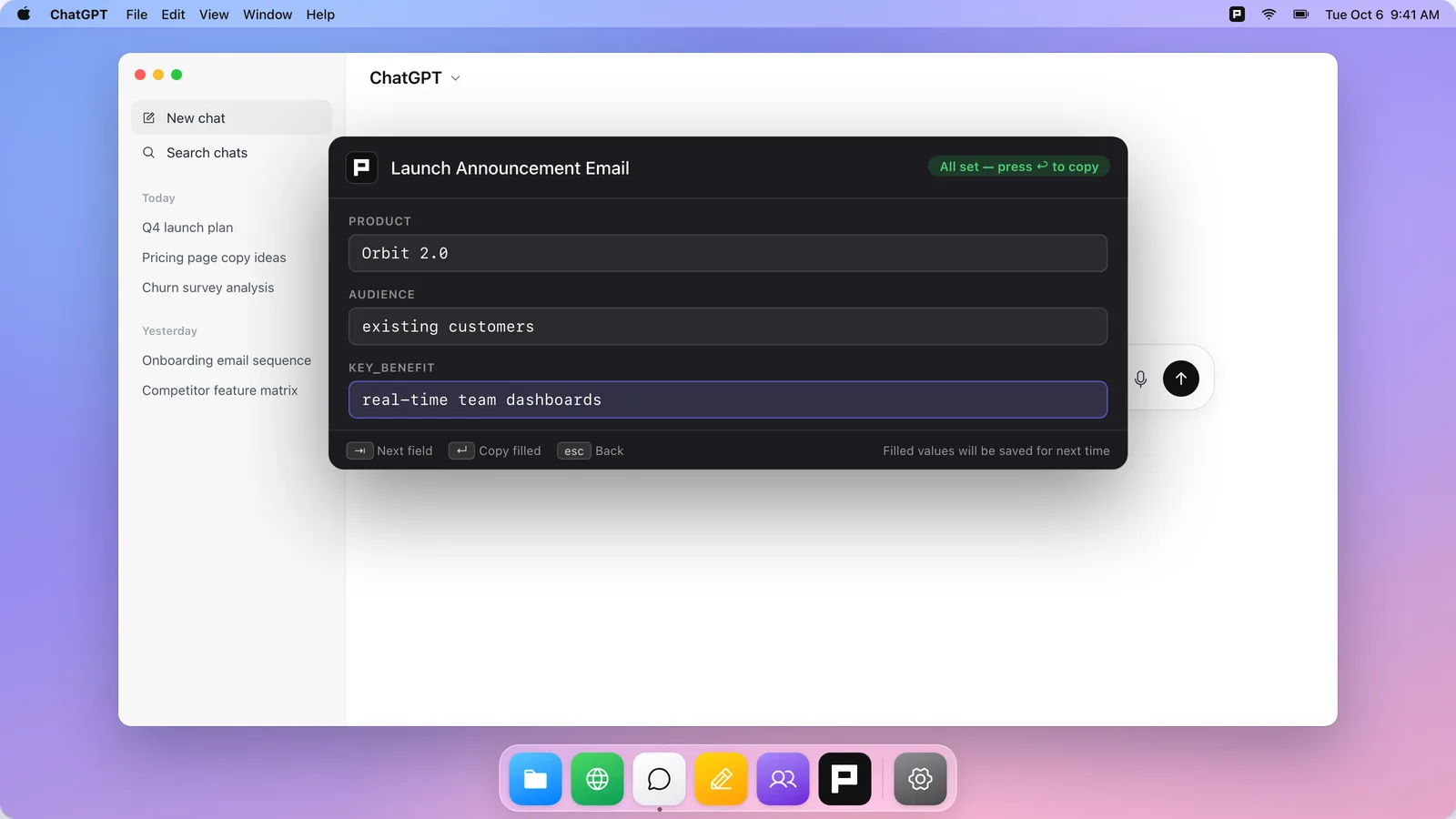
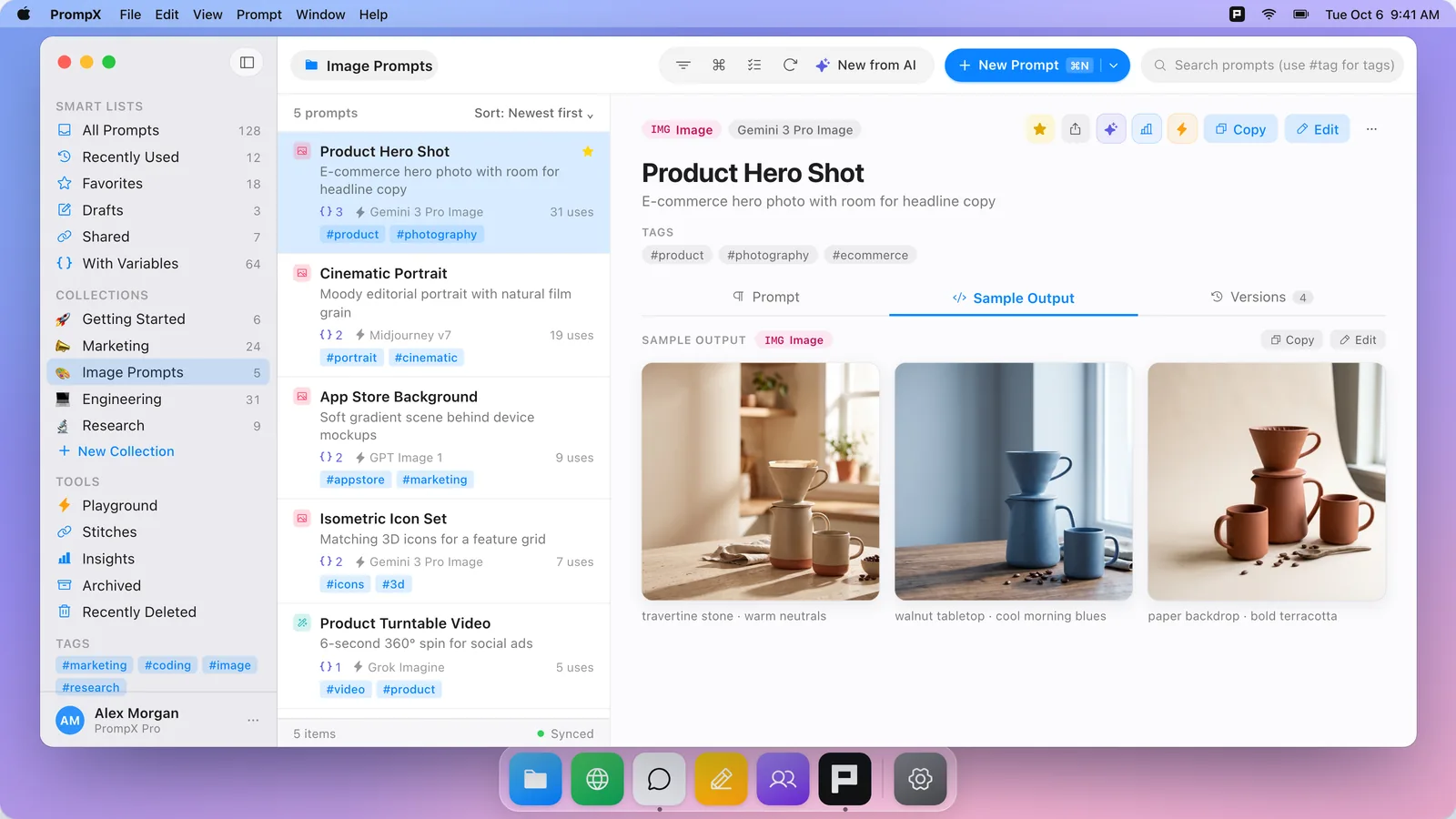
Image prompts, saved with their results.
Keep prompts for any image model next to the images they produced, so you can see what a prompt makes before you reuse it. Swap a variable and you have the next shot.
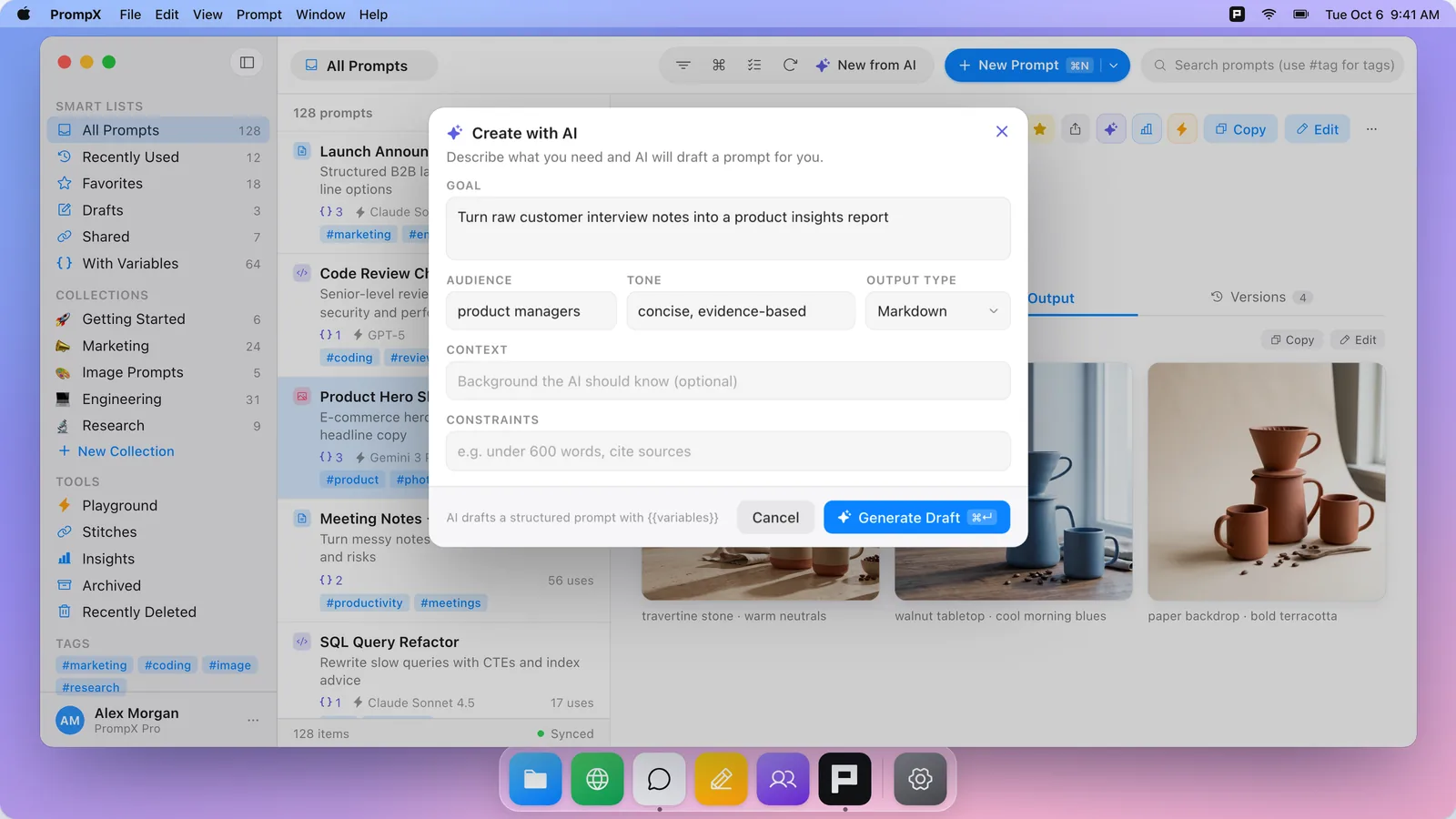
Describe it. Get a structured prompt.
Give PrompX a goal, an audience, and a tone, and AI drafts a reusable prompt with steps, rules, and {{variables}} built in. Ask for suggestions to tighten the prompts you already have.
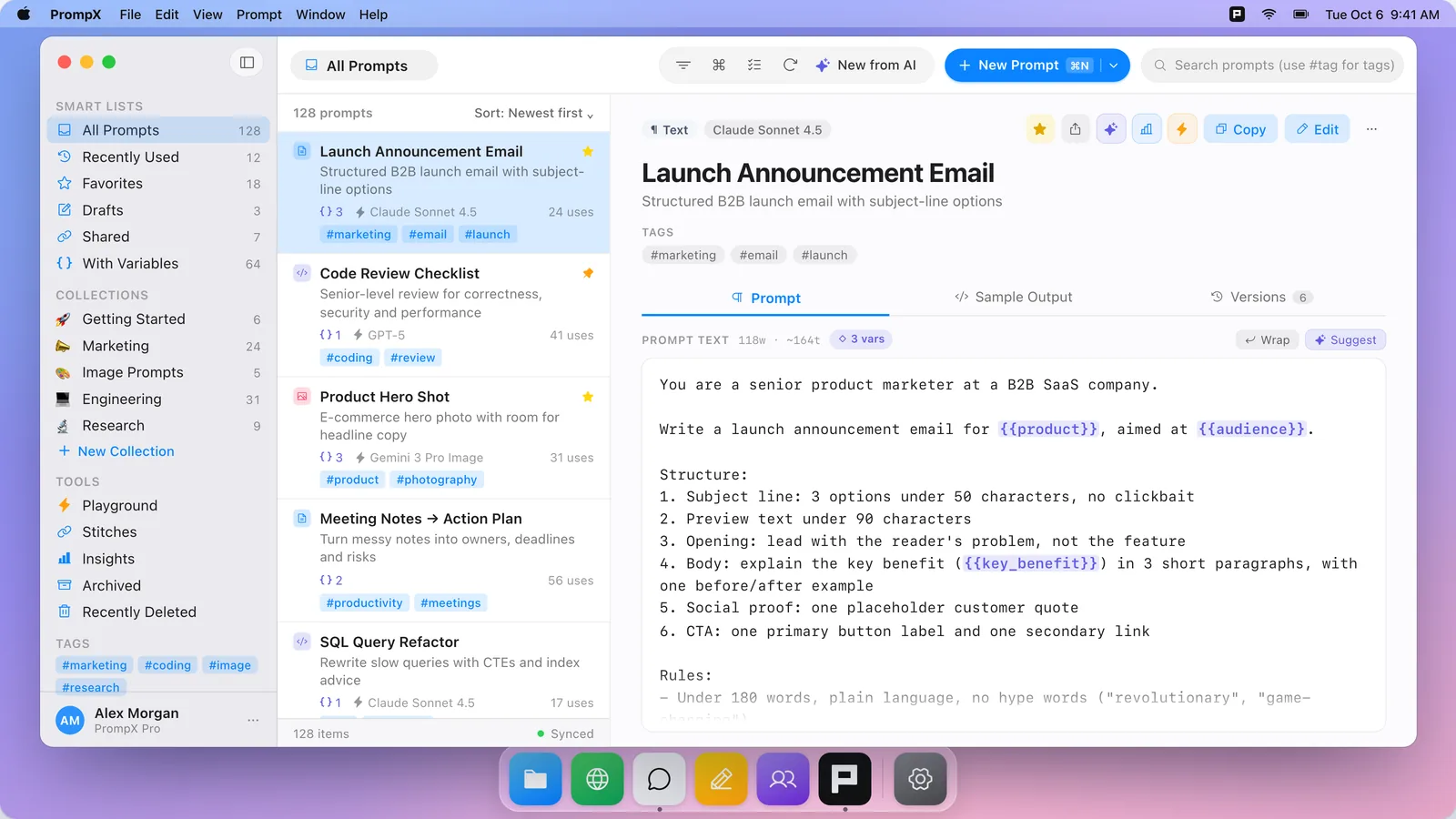
A native library that stays in sync.
Collections, tags, smart lists, and version history in a fast three-pane Mac app that works offline. Your library stays in sync with PrompX on the web, iPhone, and Chrome.
Keep your hands on the keyboard.
- ⌘ ⇧ Space
- Open the Quick Panel from any app
- ↑ / ↓
- Navigate results
- Tab
- Fill variables
- Return
- Copy prompt
- ⌘ Return
- Open prompt
- ⌘ N
- New prompt
- ⌘ K
- Command palette
- Esc
- Dismiss